15 AI Tools Like ChatGPT in 2026 (Free & Paid, Tested)
Published on Last updated on Reading time: 14 min
Contents
ChatGPT is the tool most people try first, but it stopped being the only serious option a long time ago. In 2026 there is a whole field of AI tools like ChatGPT, and for some jobs a different one is simply the better choice: Claude writes cleaner long-form text, Perplexity cites its sources, Gemini lives inside your Google account, and DeepSeek does most of it for free.
I’ve used all of these for real work, not just a five-minute demo. Below you’ll find the 15 best ChatGPT alternatives, what each one is actually good at, what it costs, and which one to pick for your situation. If you’re more interested in AI image creation, that has its own guide.
The short answer: the three strongest all-round ChatGPT alternatives in 2026 are Claude (best writing and coding), Google Gemini (best free all-rounder, built into Google), and Perplexity (best for research with sources). If you want a German, GDPR-friendly content tool with a real editor instead of a bare chat box, Neuroflash is my pick.
At a Glance: 15 AI Tools Like ChatGPT Compared
Here’s the whole field in one table so you can scan it in 30 seconds. “Free tier” means you can use it for real, not just a 5-message trial.
| Tool | Best for | Free tier? | Starting price | Standout feature |
|---|---|---|---|---|
| Claude (Anthropic) | Writing & coding | Yes | €18 / mo | Artifacts, long, natural text |
| Google Gemini | Best free all-rounder | Yes | €21.99 / mo | Built into Gmail, Docs, Android |
| Perplexity | Research with sources | Yes | $20 / mo | Cited answers + live web search |
| Microsoft Copilot | Office & Windows users | Yes | $20 / mo | Built into Word, Excel, Windows |
| DeepSeek | Free reasoning & coding | Yes | Free (API cheap) | Strong reasoning at zero cost |
| Mistral Le Chat | EU / privacy | Yes | €14.99 / mo | European, GDPR-friendly, fast |
| Neuroflash | German marketing copy | Yes | €30 / mo | Full editor + templates + SEO |
| Poe | Trying many models | Yes | €19 / mo | All chatbots in one app |
| ChatLLM (Abacus.AI) | All LLMs, one price | Trial | ~€10 / mo | Auto-picks the best model |
| Grok (xAI) | Live X/Twitter context | Yes | $30 / mo | Real-time social data |
| Meta AI (Llama) | Casual chat in WhatsApp | Yes | Free | Inside WhatsApp & Instagram |
| HuggingChat | Open-source, no strings | Yes | Free | Open models, no hard login |
| You.com | Search-style answers | Yes | $15 / mo | Web search + model switching |
| Jasper | Marketing teams | Trial | ~$39 / mo | Brand voice & campaign workflows |
| Notion AI | Notes & docs | Add-on | ~$10 / mo | AI inside your Notion workspace |
Prices are the public list prices in mid-2026 and change often, so always check the tool’s own page before you pay. The detailed picks below explain when each one is worth it.
How I Picked and Tested These Tools
I didn’t rank these by marketing pages. Each tool ran the same set of everyday jobs: rewrite a 600-word article, summarise a long PDF, answer a research question that needs sources, and write a small Python script. I judged them on five things:
- Free tier — can a beginner or student actually get useful work done without paying?
- Reasoning and writing quality — does the output need heavy editing, or is it close to final?
- Pricing — what does the paid plan cost, and is it fair for what you get?
- Privacy and GDPR — where is your data stored, and does the company train on it?
- Ecosystem — extra features like web search, image generation, file upload, apps, and integrations.
A quick note on ChatGPT itself: GPT-5 and GPT-4o are excellent, but ChatGPT is the baseline we’re comparing against, so it isn’t a separate entry here. Every tool below is a genuine alternative, not a re-skin of OpenAI.
Claude — Best for Writing and Coding
Best for: long-form writing, rewriting, coding · Price: Free tier, Pro €18/mo · Try it: claude.ai
Claude, from Anthropic, is the alternative I reach for most when the text has to read like a human wrote it. With the Claude Opus 4.x and Sonnet 4.x models it summarises, rewrites and drafts with fewer of the giveaway AI tics than ChatGPT, and the Artifacts panel shows your draft or code in a live window next to the chat so you can edit as you go.
For coding it’s a standout. On Anthropic’s own benchmarks the current Claude models lead on agentic coding and tool use, and in day-to-day work it tends to need fewer correction rounds than GPT on a multi-file task. The free tier is generous enough to test it properly; Pro removes the usage caps.
Pros
- Most natural-sounding long text of any tool here
- Artifacts make editing drafts and code genuinely pleasant
- Strong, honest about its limits, low “hallucination” rate
Cons
- No native image generation
- Free tier hits a usage limit on heavy days
Google Gemini — Best Free All-Rounder
Best for: an all-purpose free assistant · Price: Free tier, Google AI Premium €21.99/mo · Try it: gemini.google.com
If you already live in Gmail, Docs and Android, Google Gemini is the easiest ChatGPT alternative to adopt because it’s right there. The free tier runs on Gemini 2.x models, handles long documents, reads images you upload, and searches the live web. That last point matters: unlike a closed model, it can pull current information instead of guessing.
The paid Google AI Premium plan adds the strongest models plus 2 TB of storage and Gemini inside Gmail and Docs, which is good value if you’d pay for Google storage anyway.
Pros
- Genuinely useful free tier with live web access and image upload
- Built into Gmail, Docs, Sheets and Android
- Huge context window for long PDFs
Cons
- Answers can be more cautious and less concise than Claude
- The best models are behind the paid plan
Perplexity — Best for Research and Sources
Best for: research, fact-checking, anything you need to cite · Price: Free tier, Pro $20/mo · Try it: perplexity.ai
Where ChatGPT often answers from memory, Perplexity searches the web first and then writes an answer with numbered citations you can click. For studying, research and any claim you’ll have to back up, that’s the difference between a starting point and a finished one. You can see exactly where each sentence came from.
The free plan covers most everyday questions. Pro unlocks the stronger models and “Pro Search”, which asks follow-up questions and digs deeper before answering.
Pros
- Every answer comes with real, clickable sources
- Excellent free tier for research and studying
- Live web search built in
Cons
- Less suited to long creative writing
- Pro Search uses up a daily quota on the free plan
Microsoft Copilot — Best for Office and Windows
Best for: Microsoft 365 and Windows users · Price: Free tier, Copilot Pro $20/mo · Try it: copilot.microsoft.com
Microsoft Copilot runs on OpenAI’s GPT models, so the answer quality feels close to ChatGPT, but it’s woven into Windows, Edge and Microsoft 365. The free version handles chat, image generation and web search. The real reason to choose it is integration: Copilot Pro can draft in Word, build formulas in Excel and summarise your Outlook inbox without leaving the app.
Pros
- Free image generation and web search
- Deep integration with Word, Excel, Outlook and Windows
- Familiar GPT-level answers
Cons
- The best Office features need a paid Microsoft 365 plan on top
- Feels less flexible than a plain chat tool for non-Office work
DeepSeek — Best Free Tool for Reasoning and Coding
Best for: strong reasoning and code on a zero budget · Price: Free in the app, very cheap API · Try it: chat.deepseek.com
DeepSeek surprised a lot of people by matching far more expensive models on maths, logic and coding while staying free in the chat app. The reasoning models show their thinking step by step, which is genuinely useful when you want to check the working, not just the answer.
One honest caveat: DeepSeek is a Chinese company and the consumer app stores your data on servers in China. For homework or hobby projects that’s fine. For confidential client or business data, choose a European or US option instead.
Pros
- Top-tier reasoning and coding for free
- Transparent step-by-step thinking
- Extremely cheap API for developers
Cons
- Data is stored in China — not for sensitive work
- Sparse extra features and occasional outages
Mistral Le Chat — Best European / Privacy Pick
Best for: users who want an EU-based, GDPR-friendly tool · Price: Free tier, Le Chat Pro €14.99/mo · Try it: chat.mistral.ai
Mistral Le Chat comes from a French company, which makes it the natural choice if you care about keeping data inside Europe. It’s fast, the free tier is solid for everyday chat, writing and coding, and it added web search and document upload. For German and other European users it answers in fluent native language and stays clearly within GDPR.
Pros
- European company, GDPR-friendly data handling
- Very fast responses, strong free tier
- Good multilingual writing
Cons
- Smaller ecosystem than Google or Microsoft
- Top reasoning still trails Claude and Gemini slightly
Neuroflash — Best German AI Text and Marketing Tool
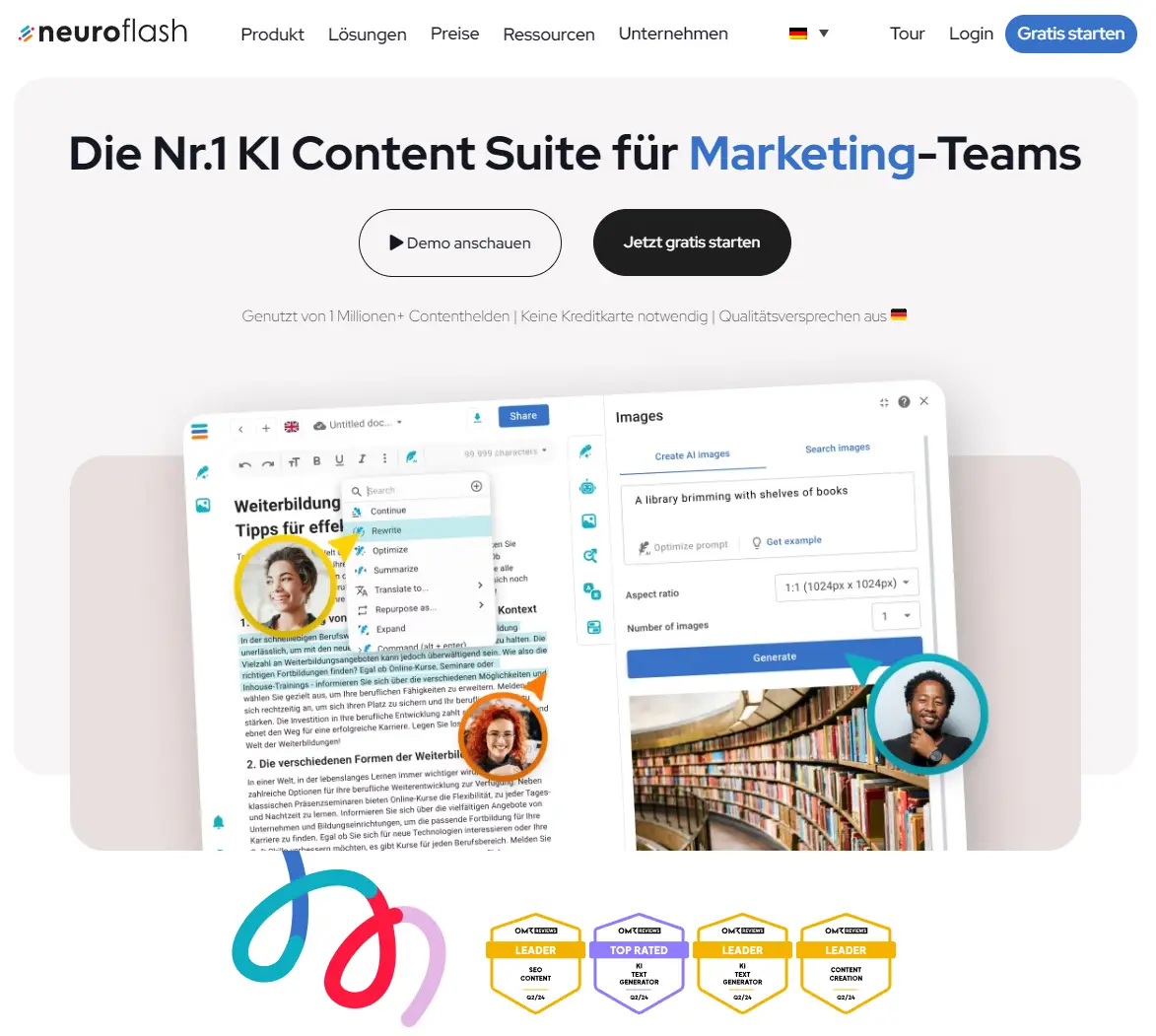
Best for: German marketing copy with a real editor · Price: Freemium, from €30/mo · Try it: Neuroflash*
Neuroflash, a German company, is the leading ChatGPT alternative built for marketing in Germany*. Instead of a bare chat box it gives you a full editor, templates, image generation and personalization of everything the AI produces. It runs on current GPT-class models, so the text quality is on par with ChatGPT, but the workflow is built for people who write content all day.
The standout features are ContentFlash, PerformanceFlash, ImageFlash and the Brand Hub, which together fix ChatGPT’s biggest weakness for marketers: there’s no easy way to save a brand voice, reuse templates or manage a team in a plain chat tool. My Neuroflash review walks through every feature with examples. Data is stored GDPR-compliant in the EU.
Pros
- Full editor and templates, not just a chat window
- GDPR-compliant, German-language native
- Built-in image generation and SEO features
Cons
- More expensive than the general-purpose tools
- Overkill if you only need an occasional chatbot
Neuroflash Coupons: use the code 50OFF for 50% off your first month, or YEARLY10 for 10% off annual plans.
50OFF
YEARLY10
Poe — Best for Trying Many Models in One App
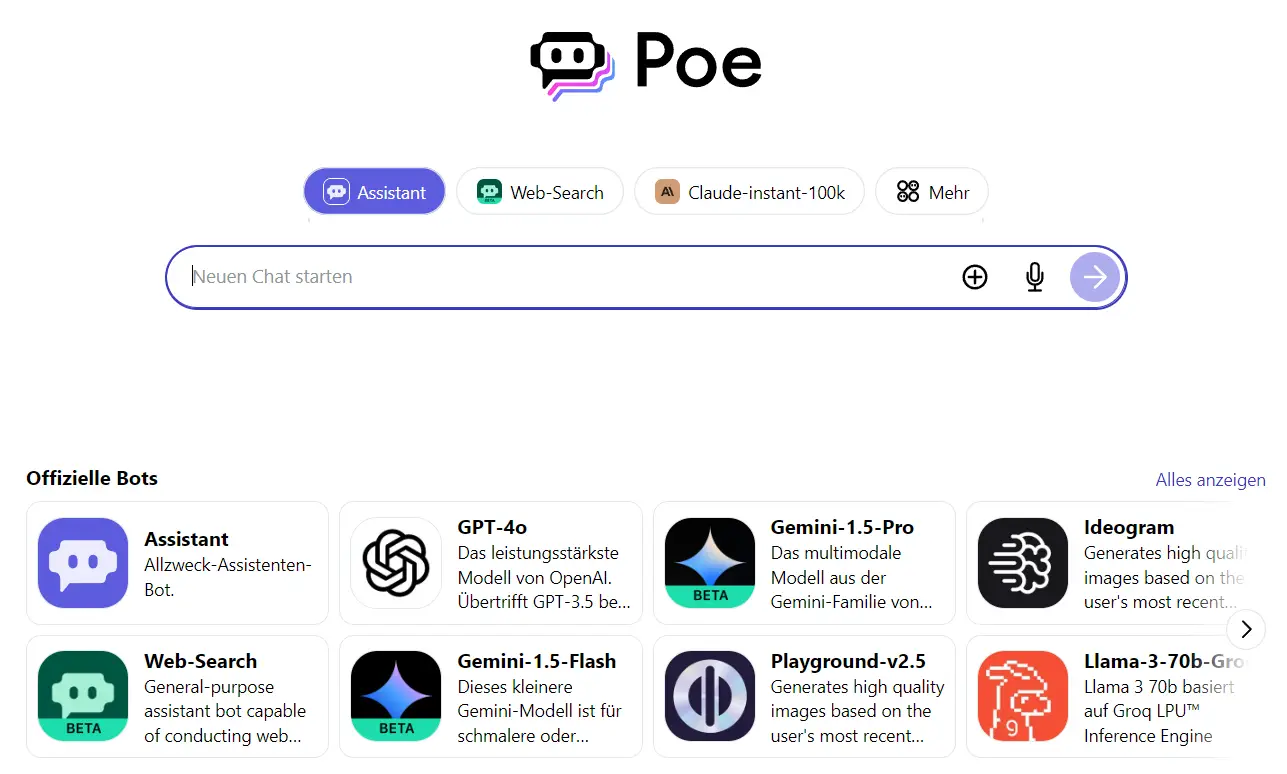
Best for: comparing many chatbots in one place · Price: Free tier, Pro €19/mo · Try it: poe.com
Poe bundles dozens of models behind one login. You can chat with GPT, Claude, Gemini and Llama, and generate images with Flux, Ideogram or Stable Diffusion, all from one Windows, iOS or Android app. It’s the cheapest way to figure out which model you actually prefer before committing to a single subscription. If you want an alternative to DALL·E for image prompts, Poe has several built in.
Pros
- Many top chatbots and image models under one subscription
- Native desktop and mobile apps
- Great for side-by-side model comparison
Cons
- Heavy use burns through the monthly point allowance
- You’re a layer removed from each model’s newest features
ChatLLM — Best Value for All LLMs at One Price
Best for: access to every leading model for one low price · Price: from ~€10/mo · Try it: ChatLLM*
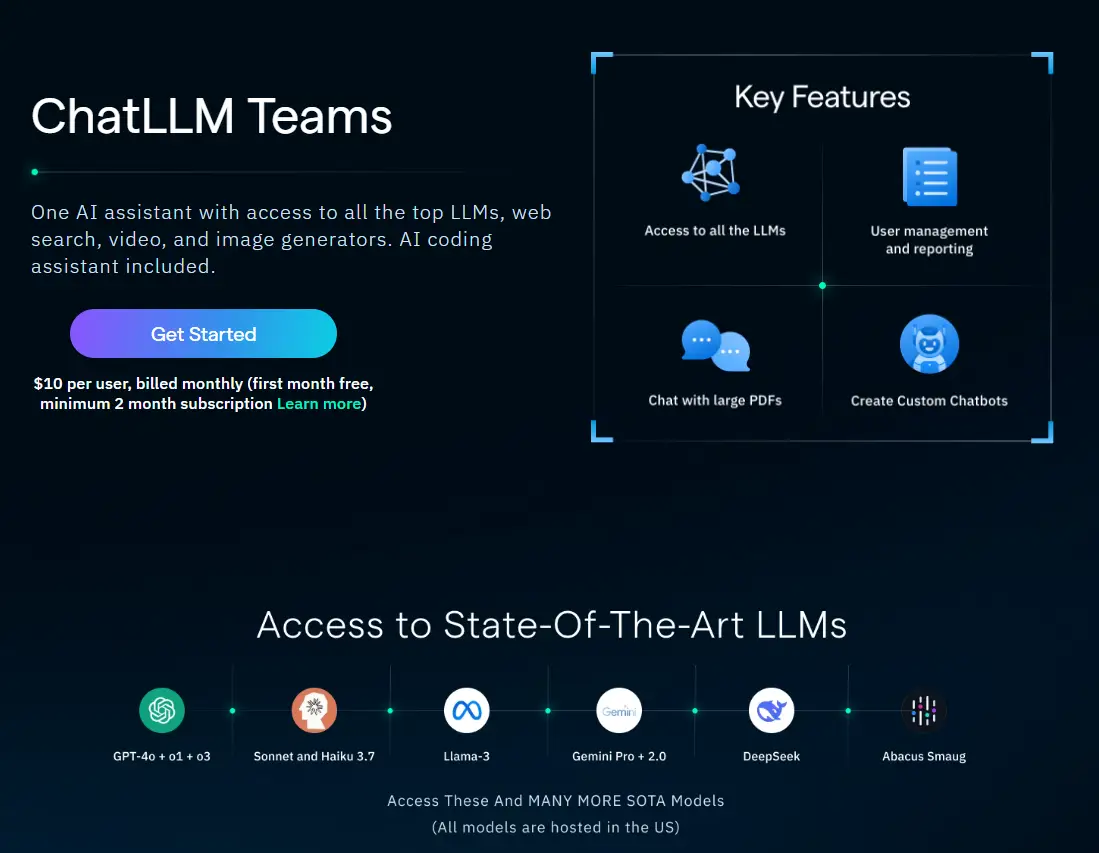
ChatLLM* Teams from Abacus.AI gives you the current top models — GPT-5, Claude Opus/Sonnet 4.x, Gemini 2.x Pro, DeepSeek and more — through one interface, and it can automatically route each task to the best model. On top of chat you get image and video generation, web search, document analysis, a code editor, AI agents and team collaboration with Slack and Google Drive.
For the price it’s hard to beat: it’s cheaper than a single ChatGPT Plus seat yet covers far more models and tools. If you want one subscription that does almost everything, ChatLLM is the value pick.
Pros
- All leading LLMs for roughly the price of one
- Image, video, agents and a code editor included
- Auto-selects the best model per task
Cons
- The all-in-one interface has a small learning curve
- Less polished than the first-party apps from Google or Microsoft
More Tools Worth Knowing
These didn’t get a full section but earn a place in the table:
- Grok (xAI) — best when you need live context from X/Twitter; strong reasoning, but the standalone plan is pricey.
- Meta AI — free and built straight into WhatsApp and Instagram, fine for casual questions.
- HuggingChat — open-source models, no hard sign-up, a good privacy-minded free option.
- You.com — a search-style assistant that lets you switch models and always shows web sources.
- Jasper and Notion AI — aimed at marketing teams and note-takers respectively; useful if you already work in those ecosystems.
Best ChatGPT Alternative for… (Quick Picks)
Don’t want to read every entry? Match your job to a tool:
| Your use case | Best pick | Why |
|---|---|---|
| Best free tool | Google Gemini | Genuinely useful free tier with web access |
| Best without login | ChatGPT or HuggingChat | Both let you start with no account |
| Best for students | Perplexity | Cited answers you can put in an essay |
| Best for research | Perplexity | Live web search with real sources |
| Best for coding | Claude | Cleanest code, fewest correction rounds |
| Best for writing | Claude or Neuroflash | Natural text; Neuroflash adds a full editor |
| Best for image generation | Microsoft Copilot or Poe | Free image generation built in |
| Best for privacy / EU data | Mistral Le Chat | European company, GDPR-friendly |
Free AI Tools Like ChatGPT (No Login Required)
You don’t need to pay, and in some cases you don’t even need an account. Since 2024, ChatGPT itself works without signing in, and several alternatives offer free tiers that are good enough for real work:
- No account at all: ChatGPT (logged-out mode) and HuggingChat let you start typing right away.
- Free, light sign-up: Google Gemini, Microsoft Copilot, Perplexity, DeepSeek and Mistral Le Chat all give you a real free plan after a quick login.
- Best free for students and research: Perplexity, because every answer comes with sources you can cite.
For occasional use, the free tiers of Gemini, DeepSeek and Mistral cover almost everything most people ask of ChatGPT. You only need a paid plan once you hit daily limits or need the strongest models for heavy work.
What Is the Best ChatGPT Alternative?
There’s no single winner, partly because several alternatives run on the same underlying models as ChatGPT, so the raw text quality is similar. The real difference is the workflow around the model.
For everyday questions and research, Gemini and Perplexity are the strongest free options. For writing and coding, Claude is my pick for the most natural output. ChatGPT, Claude and Copilot all give you a plain chat interface, which is fine until you need saved templates, a brand voice or team workflows.
That’s exactly the gap Neuroflash fills, and why it stays my favourite for content work: an intuitive editor built for non-technical users, with ImageFlash, PerformanceFlash and a full long-form editor on top of the chat. Pick the tool that matches the job, not the one with the loudest marketing.
Häufige Fragen / FAQ
What is the best free AI tool like ChatGPT?
Google Gemini is the best free all-rounder, with a useful free tier, live web search and image upload. For research specifically, Perplexity is better because it cites its sources, and DeepSeek is the strongest free option for reasoning and coding.
Is there an AI tool like ChatGPT without login or registration?
Yes. ChatGPT itself works without an account in logged-out mode, and HuggingChat lets you start with no hard sign-up. The catch is that without an account you can’t save your chat history, so for ongoing work a free login is worth it.
What is the best ChatGPT alternative for students?
Perplexity is the best pick for students, because it answers with numbered, clickable sources you can actually cite in an essay or thesis. Its free tier covers most coursework, and Gemini is a strong free backup for general questions and long PDFs.
Which AI is better than ChatGPT for studying and research?
For research, Perplexity beats ChatGPT because it searches the live web and shows where every claim came from, instead of answering from memory. Gemini is a good second choice thanks to its large context window for long documents.
Is there a ChatGPT alternative that supports image upload?
Yes — Gemini, Claude, Microsoft Copilot, Perplexity and Mistral Le Chat all let you upload images and ask questions about them. Gemini and Claude are the strongest at reading screenshots, charts and photos in detail.
Are AI tools like ChatGPT free to use?
Most of them have a real free tier. Gemini, Copilot, Perplexity, DeepSeek, Mistral Le Chat, Meta AI and HuggingChat are free for everyday use. You only pay once you need the most powerful models or hit daily usage limits; paid plans typically run €15–€22 per month.
Which ChatGPT alternative is best for coding?
Claude is the best for coding, with the cleanest output and the fewest correction rounds on multi-file tasks, plus Artifacts for live editing. DeepSeek is the strongest free coding option, and ChatLLM is good value if you want to switch between several coding models.
