AI Photos vs Real Photos: How to Tell the Difference (2026)
Published on Reading time: 9 min
Contents
You usually tell a photo is AI-generated by checking three things first: the hands, the small text in the background, and whether the lighting makes physical sense. If fingers look melted, a sign reads like gibberish, or shadows fall in two directions at once, you are almost certainly looking at an AI image. The hard part in 2026 is that the obvious mistakes are disappearing, so the rest of this guide walks through what still gives an image away and what no longer does.
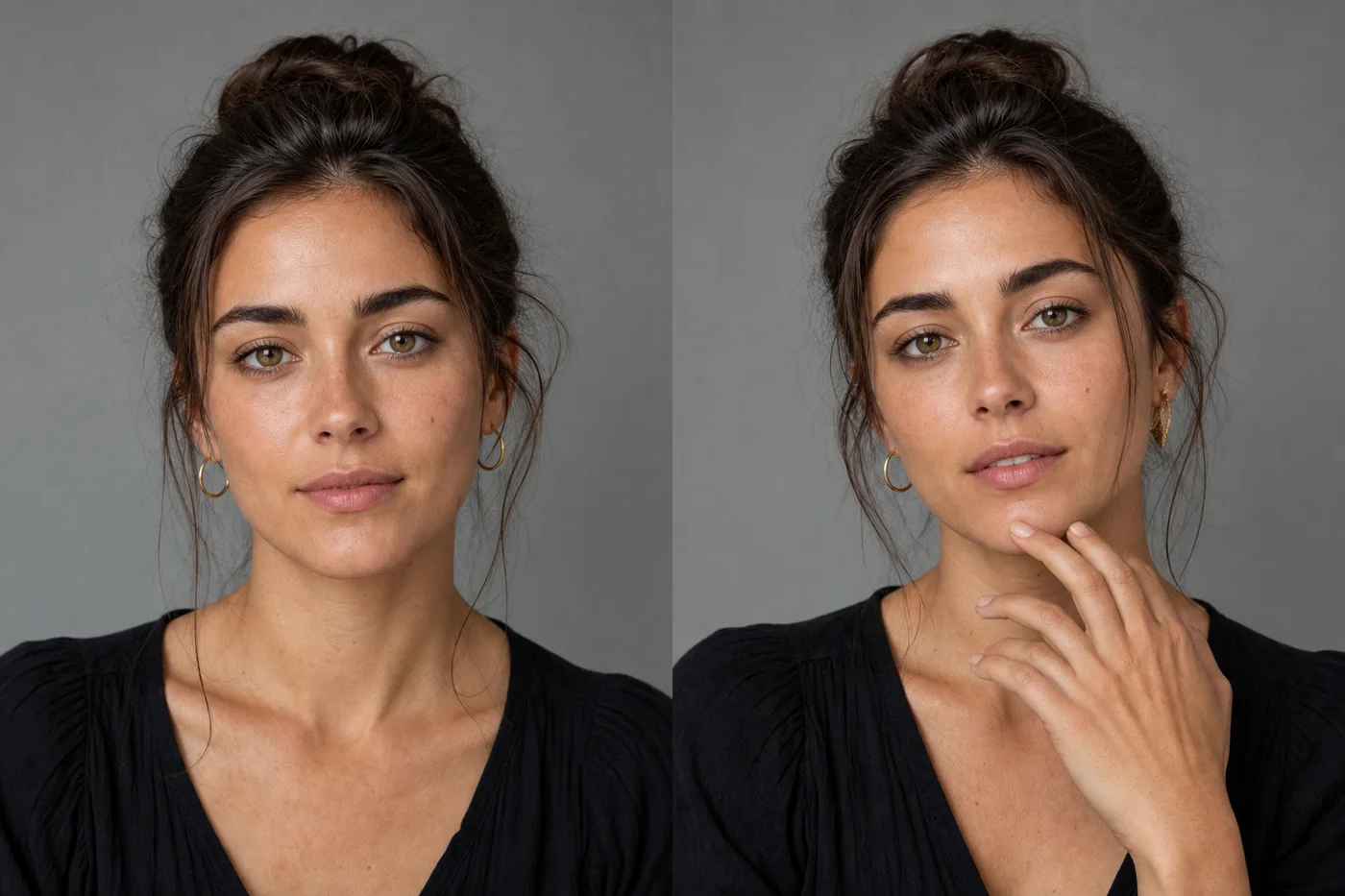
Why AI photos are getting harder to spot
The short answer: the models got good at the things that used to fail. Two years ago you could spot almost any AI image in a second because hands had six fingers and faces looked plastic. Image models like Midjourney v7, Google’s Imagen on Gemini 2.x, and the latest GPT-image generations have largely fixed the cartoonish errors. A clean studio portrait or a generic stock-style landscape can now pass without a single visible flaw.
What hasn’t been solved is consistency under pressure. AI builds an image by predicting pixels that look plausible together, not by simulating a real scene with real physics. So it still slips on the details that require counting, reading, or obeying the laws of optics. The fakes that fool people are the simple ones. The moment a scene gets busy, those cracks reappear.
A useful mindset: don’t look for one smoking gun. Collect small signals. One slightly-off hand might be a bad real photo. A bad hand plus melted text plus impossible shadows is a verdict.
Telltale sign #1: hands, fingers and teeth
Hands are still the single most reliable tell. Count the fingers. AI frequently renders four or six, fuses two fingers into one, or grows a thumb where it doesn’t belong. Look at how a hand grips an object, a coffee cup, a phone, a railing. Real fingers wrap and press; AI fingers often float, bend the wrong way, or merge into the object.
Teeth are the close runner-up. Zoom into a wide smile. AI teeth tend to be too many, too uniform, or to blur into a single white band with no clear gaps. Real teeth are slightly irregular and have visible separations.
Other body parts that trip the model:
- Ears, especially with earrings or behind hair, where the shape gets mushy.
- Hair strands that fade into the background instead of ending.
- Limbs in groups of people, where an extra arm or leg quietly appears behind someone.
If a photo shows a crowd, scan the edges and the people in the back. That’s where AI gets lazy.
Telltale sign #2: eyes, pupils and reflections
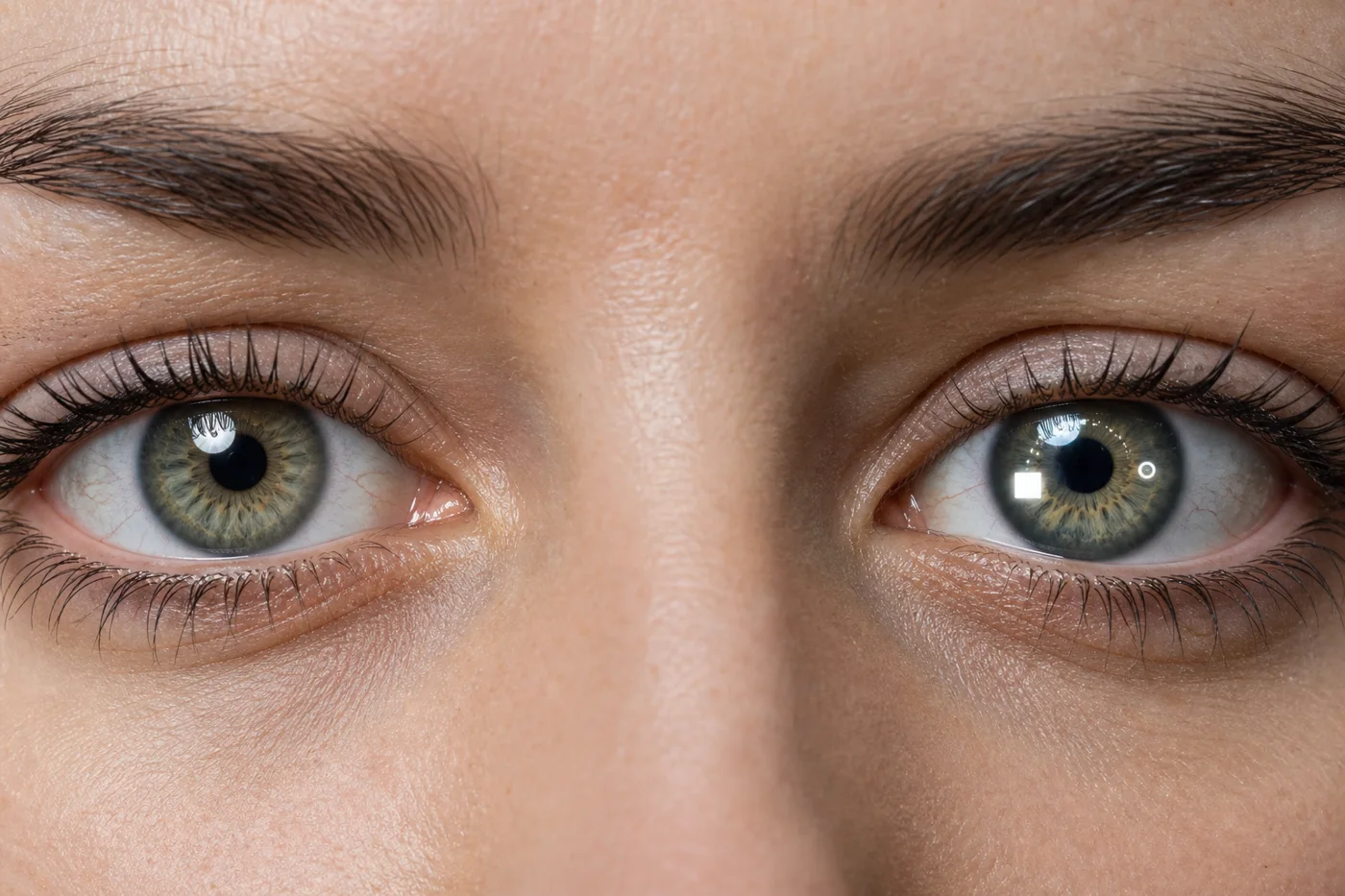
Eyes betray AI images through their reflections. In a real photo, both eyes reflect the same light source, so the bright catchlight sits in roughly the same spot in each pupil. AI often gives each eye a different reflection, or none at all, or a reflection that doesn’t match anything else in the scene.
Check pupil shape too. Human pupils are round and centered. AI sometimes renders them slightly oval, mismatched in size between the two eyes, or with irises that have a smeared, watercolor texture instead of the fine radial lines a real iris has.
Glasses are another weak point. Look at where the frame crosses the face: real glasses bend the light behind them and cast a thin shadow, while AI frames frequently sit on the face like a sticker, with the eyes behind the lens not distorted at all. Reflections on the lenses may show a scene that doesn’t exist anywhere else in the photo.
Telltale sign #3: smeared text, jewelry and backgrounds
Text is the fastest tell in any busy image. AI cannot reliably spell. Street signs, book spines, product labels, T-shirt slogans, license plates, storefront names, all of these come out as confident-looking gibberish: real-shaped letters that spell nothing, or words that dissolve halfway through. If you see a sign in the background, read it. If it’s nonsense, you’re done.
Jewelry and repeated patterns are similar. A necklace chain that changes thickness link by link, a watch face with numbers in the wrong order, a patterned shirt where the pattern warps and doesn’t continue across a fold, all signal generation rather than capture.
Backgrounds reward a slow look. AI handles the subject well because that’s where its attention goes, then improvises the rest. Watch for:
- Architecture that doesn’t line up: window rows that drift, railings that pass through walls, stairs that lead nowhere.
- Objects that merge, a bag fused to a leg, a cup blending into a table.
- Repeated faces or duplicated objects in a crowd.
- A background that is suspiciously, evenly blurred, as if to hide that it was never coherent.
Lighting and physics mistakes AI still makes
AI fakes how light looks, not how light behaves, so it breaks the rules of physics under scrutiny. This is the most reliable category once you train your eye, because it doesn’t depend on resolution.
Shadows are the headline. In a real photo every shadow points away from a single light source (or two, if there are two lamps). AI routinely paints shadows that fall in different directions on objects sitting side by side, or attaches a shadow to one person and forgets the person next to them entirely. Check the ground.
Reflections should match the scene. A mirror, a window, a puddle, a glossy table, each should reflect what’s actually in front of it. AI reflections often show a different scene, a flipped layout that doesn’t match, or simply a vague smear.
A few more physics checks:
- Scale: a hand bigger than a head, a chair too small for the person in it.
- Depth of field: parts of the image blurred or sharp in a way a real lens can’t produce, like a sharp foreground and a sharp far background with a blurred middle.
- Symmetry that’s too perfect: a face whose two halves match exactly, or a perfectly mirrored room.
AI image detectors and metadata (C2PA / content credentials) — do they work?
Detectors are a weak signal and metadata is a strong one, but only when it’s present. Here’s the honest 2026 picture.
Online “AI image detector” tools run a classifier that guesses whether an image looks generated. They are useful as a tiebreaker, not a verdict. They produce false positives on heavily edited real photos and false negatives on clean AI images, and a single screenshot or re-save can flip the result. Treat a detector score as one more small signal, never as proof.
Metadata is more trustworthy. C2PA (the Coalition for Content Provenance and Authenticity) defines Content Credentials, a cryptographically signed manifest attached to a file that records how it was made and edited. Adobe, the major camera makers, and several AI generators now write these credentials, and you can inspect them at the official Content Credentials verify page. If an image carries a valid credential saying it was generated by an AI tool, that’s a clear answer.
The catch: metadata is fragile. Screenshotting an image, uploading it to most social platforms, or running it through a basic editor strips the credentials entirely. So the absence of a credential proves nothing, the vast majority of real photos online have none either. Provenance can confirm “this is AI” or “this is a real camera capture,” but it can rarely confirm “this is definitely not AI.”
| Method | How reliable | Survives screenshots / re-saves | Best use |
|---|---|---|---|
| Visual inspection (hands, text, physics) | Medium-high with practice | Yes | Your first and main check |
| AI image detector tools | Low to medium | No | Tiebreaker only |
| C2PA / Content Credentials | High when present | No | Confirming a verdict, not finding one |
| Reverse image search | Medium | Yes | Finding the original source and context |
A practical combo: inspect the image yourself, run a reverse image search to find where it came from, and check for Content Credentials. No single tool wins, but together they get you to a confident answer.
A quick checklist + a real-or-AI test gallery
Run through this in order. Stop as soon as you have two or three clear hits.
- Hands — count fingers, check the grip.
- Text — read every sign, label and logo in the frame.
- Eyes — compare the catchlight reflections; check pupil shape.
- Shadows — do they all point the same way?
- Reflections — do mirrors and windows match the scene?
- Backgrounds — any merged objects, drifting architecture, or duplicated faces?
- Skin and texture — too smooth and poreless, or oddly waxy?
- Metadata — drop the file into the Content Credentials verifier.
The best way to get fast at this is to practice on known images. Pull up a mixed set, cover the captions, and call each one before you check. After a few dozen you’ll start spotting the AI ones in under a second, the same way you learned to recognize a deepfake video by its blinking.
If you want to sharpen your eye, the most efficient training is studying confirmed AI images next to real ones and noting which tell gave each away.
See real examples of AI photos
The fastest way to calibrate your eye is to look at a curated set of confirmed AI images and trace exactly which detail exposes each one. We keep a running gallery of examples of AI photos with the tells annotated, so you can build the pattern recognition that makes detection automatic.
If you’re trying to figure out which generator produced a given style, or you just want to make your own images instead of spotting other people’s, our overview of AI tools that go beyond ChatGPT is a good next stop.
FAQ
How can I tell if a photo is AI generated?
Start with the hands, the text, and the lighting. Count fingers, read any signs or labels (AI usually produces gibberish), and check whether all the shadows point toward a single light source. One oddity might be a bad real photo; two or three together mean it’s almost certainly AI. Finish by checking the file for C2PA Content Credentials.
Are AI image detectors accurate?
Not reliably. Detector tools give a probability, not proof, and they produce both false positives on edited real photos and false negatives on clean AI images. A single screenshot or re-save can flip the result. Use them as a tiebreaker alongside your own visual inspection, never as the final word.
What is C2PA and how do content credentials help?
C2PA is an open standard for Content Credentials, a cryptographically signed record attached to an image that says how it was created and edited. If an image carries a valid credential identifying an AI generator, that’s a strong answer. The weakness is that screenshots, social uploads and basic edits strip the credentials, so a missing credential tells you nothing.
Will AI photos ever be impossible to detect?
For clean, simple images we’re nearly there already, a plain portrait or stock-style scene can pass any visual check. Detection survives mostly in complex scenes with text, crowds, reflections and physical interactions, where consistency breaks down. Long term, provenance standards like C2PA matter more than visual tells, because they verify how an image was made rather than how it looks.
Does reverse image search help spot fakes?
Yes, it answers a different question: where the image came from. A reverse search can surface the original source, show whether a “news photo” actually appeared on any news site, and reveal if the image was first posted by an AI-art account. It won’t tell you an image is generated on its own, but combined with visual inspection it’s one of the most useful checks.